Coding on Windows
Coding on Windows may seem hard at first, but it is pretty easy.
A few things are making it seem hard, like "Which app?", "How do I save?", and "What?", but those will become easy once you are done reading this!
You start by finding a suitable tool to type the beginning text in, like Khan Academy. Next, you plug a drive into your computer. Then, open Windows Powershell and put in command new-item E:\name.html (or D:\name.html). It should look something like this:
Next put your html code into the set-content (your file path) command. Use single quotes for the command. It should look a little like this:
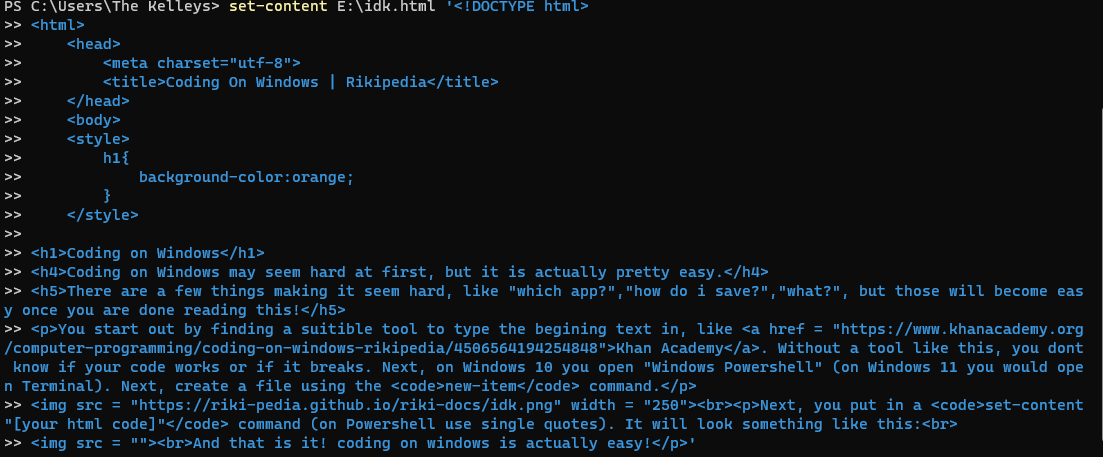
Thats it!! Well done!!!
Back to home